With a domain, your players type play.yourdomain.com instead of an IP, and if you ever move servers you only update the DNS instead of telling everyone.
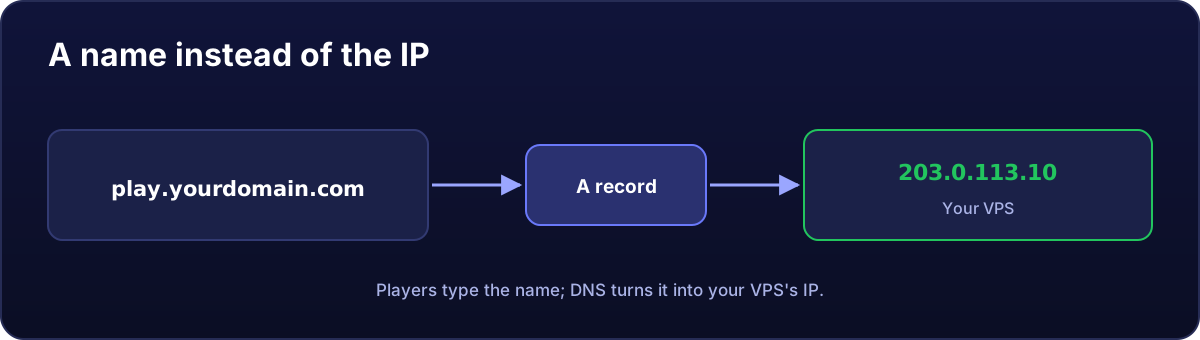
Create the A record
In your domain provider's panel (Cloudflare, Namecheap, GoDaddy, IONOS...), in the DNS zone, create a record:
| Type | Name | Value | TTL |
|---|---|---|---|
| A | play (or @ for the bare domain) | Your VPS's IP | Auto |
For a website, create one with @ and another with www, both to the same IP.
On Cloudflare: grey cloud for games
Cloudflare shows an orange cloud (proxy) next to each record. That proxy only works for websites (HTTP/HTTPS). For a game server, a database or SSH, set the cloud to grey ("DNS only"); otherwise your players cannot connect.
Is it working yet?
It usually takes a few minutes (sometimes up to a few hours). Check from your PC:
nslookup play.yourdomain.comWhen the answer is your VPS's IP, you are done.
How players connect
- FiveM: in the F8 console,
connect play.yourdomain.com(if you use the standard port 30120). - Minecraft Java:
play.yourdomain.comdirectly if the server uses port 25565. - Other games: the name followed by the port if it is not the standard one, e.g.
play.yourdomain.com:27016.
Minecraft on a different port: SRV record
If your Minecraft server does not use 25565, an SRV record lets players keep typing just the name:
| Type | Name | Priority | Weight | Port | Target |
|---|---|---|---|---|---|
| SRV | _minecraft._tcp.play | 0 | 5 | 25566 | play.yourdomain.com |
The target must be a name with its own A record (not an IP).
For a website with HTTPS, carry on with Nginx and a free certificate.