A DDoS attack floods an IP with so much junk traffic that the connection saturates and real players cannot get in. Sadly it is common with game servers: knocking one offline costs very little.
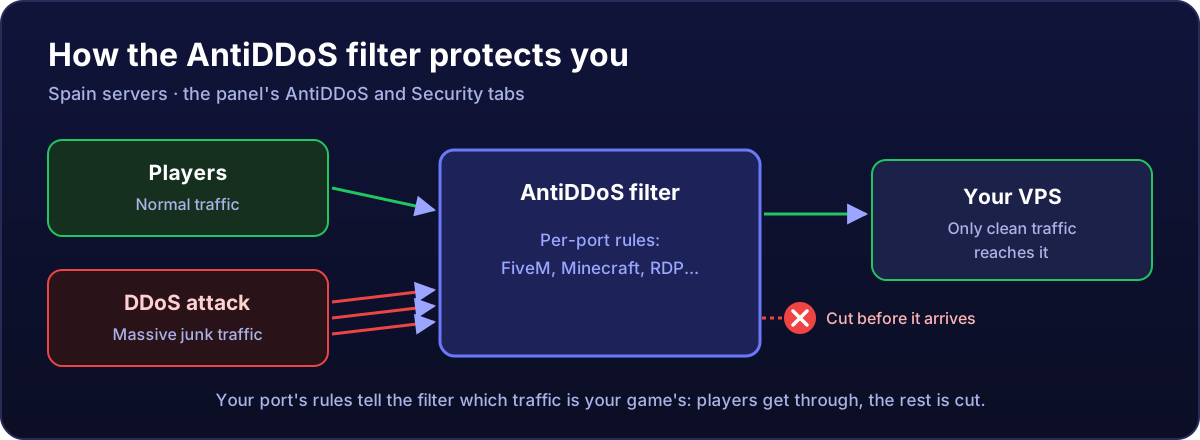
How it works
All traffic goes through the filter before it reaches your VPS. When it detects an attack, it cuts it there and only clean traffic reaches your server. It is automatic: you do not need to enable anything or tell us.
The AntiDDoS tab
On Spain servers, your service page has an AntiDDoS tab with:
- Status: "Protected" when filtering is active on your IP.
- Filtering and Default filter action: how your IP's protection is configured.
- Mitigated attacks: recent attacks, with when they happened, their type, the traffic peak (in packets per second, pps, and bits per second, bps) and how long they lasted.
An empty list is normal: either you have not been attacked, or the filter absorbed it without logging it.
Per-port filters
The filter works better when it knows which game or service you run on each port. You set that in the Security tab, with one click for the common ones (FiveM, Minecraft, remote desktop...): how to create filters.
What if I notice drops during an attack?
- When a big attack starts there can be a few seconds of lag while the filter identifies it.
- If you run a service on a port without a filter, apply its filter in Security.
- If the drops continue or the server becomes unreachable, open a ticket with the exact time and, if you can, an MTR.
What AntiDDoS does not do: it does not protect you from someone logging in with your password or from a script with a backdoor. That is what the security basics are for.