Everything you can do with your VPS is at my.electrumhosting.com: log in, go to Services, open your VPS and click Go to server.
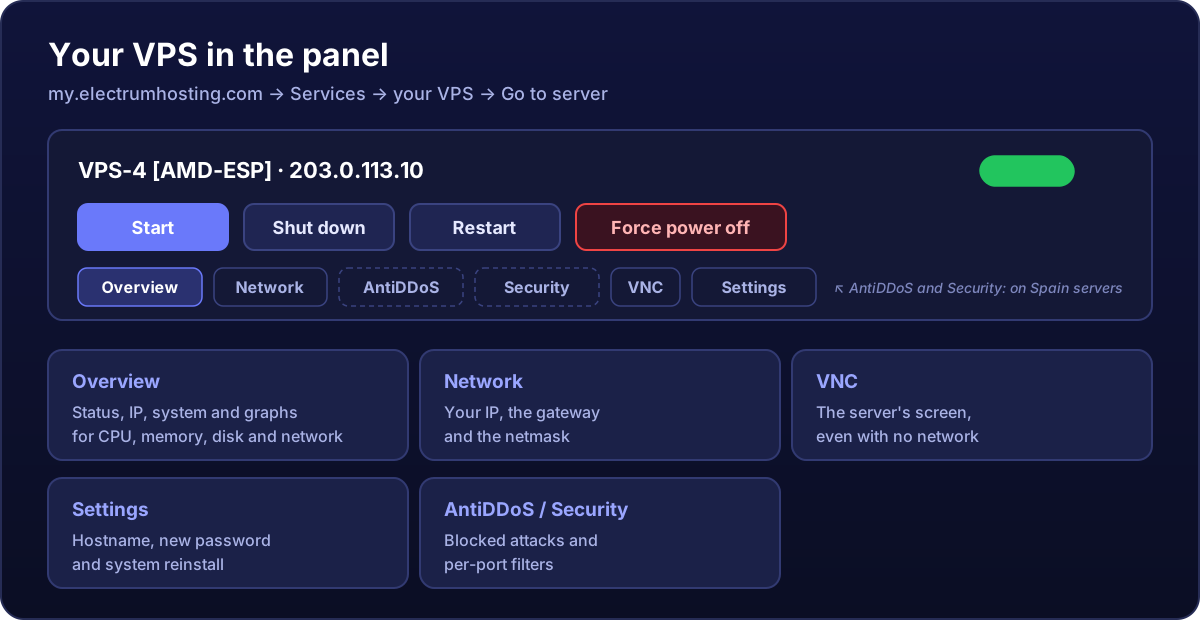
Overview
Your server's front page:
- Server details: status, hostname, operating system and the primary IPv4 (and IPv6, if it has one).
- The power buttons: Start, Shut down, Restart and Force power off. They are not the same; see starting, stopping and restarting.
- The graphs: CPU, memory, disk and network usage plus traffic used. They are the first thing to check when something is slow; see how to read them.
Network
The IP address, gateway and netmask. Normally you do not need to touch anything: the system comes configured. You will need them if you ever reconfigure the network by hand.
AntiDDoS and Security (Spain servers)
- AntiDDoS: the protection status of your IP and the attacks that were blocked, with type, peak and duration. More in how the protection works.
- Security: per-port filters, with one-click setups for FiveM, Minecraft, web, SSH, remote desktop and more. See how to use the filters.
VNC
Your server's screen as it is, as if a monitor were plugged in. It works even when the server has no network: it is your emergency exit if a firewall locks you out. See how to use the VNC console.
Settings
- Hostname: the machine's name. How to change it.
- Root password: the Request Password Reset button generates a new one and emails it to you. More details.
- Reinstall Server: puts it back to day one with the system you choose. It wipes the whole disk. Read this first.
And on the service page
One step back, under Services → your VPS, is everything about the contract: Upgrade the plan, change the billing cycle, share access with someone else, give it a label so you recognise it and cancel it.